效果展示
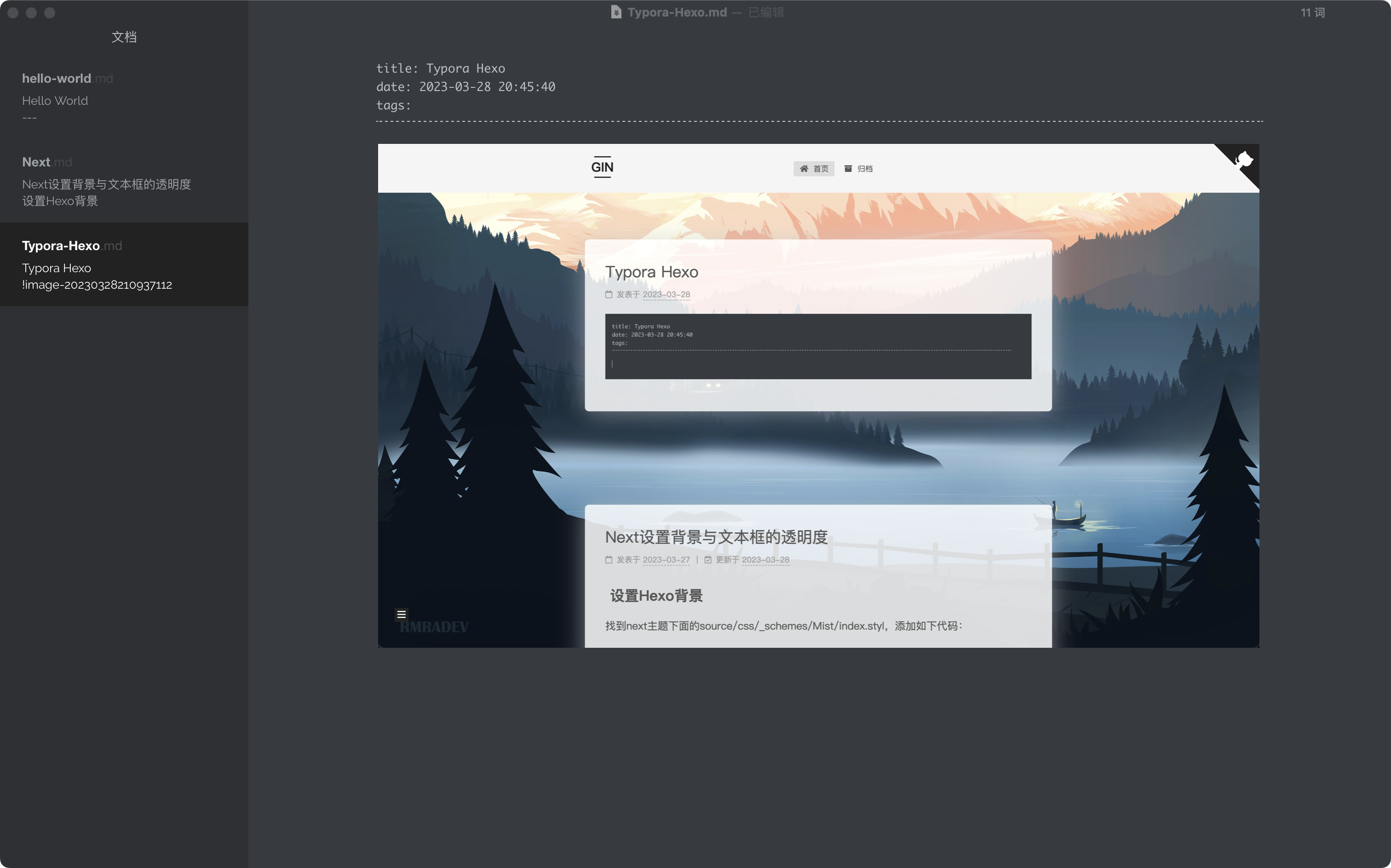
流程
先下载Typora并配置偏好设置
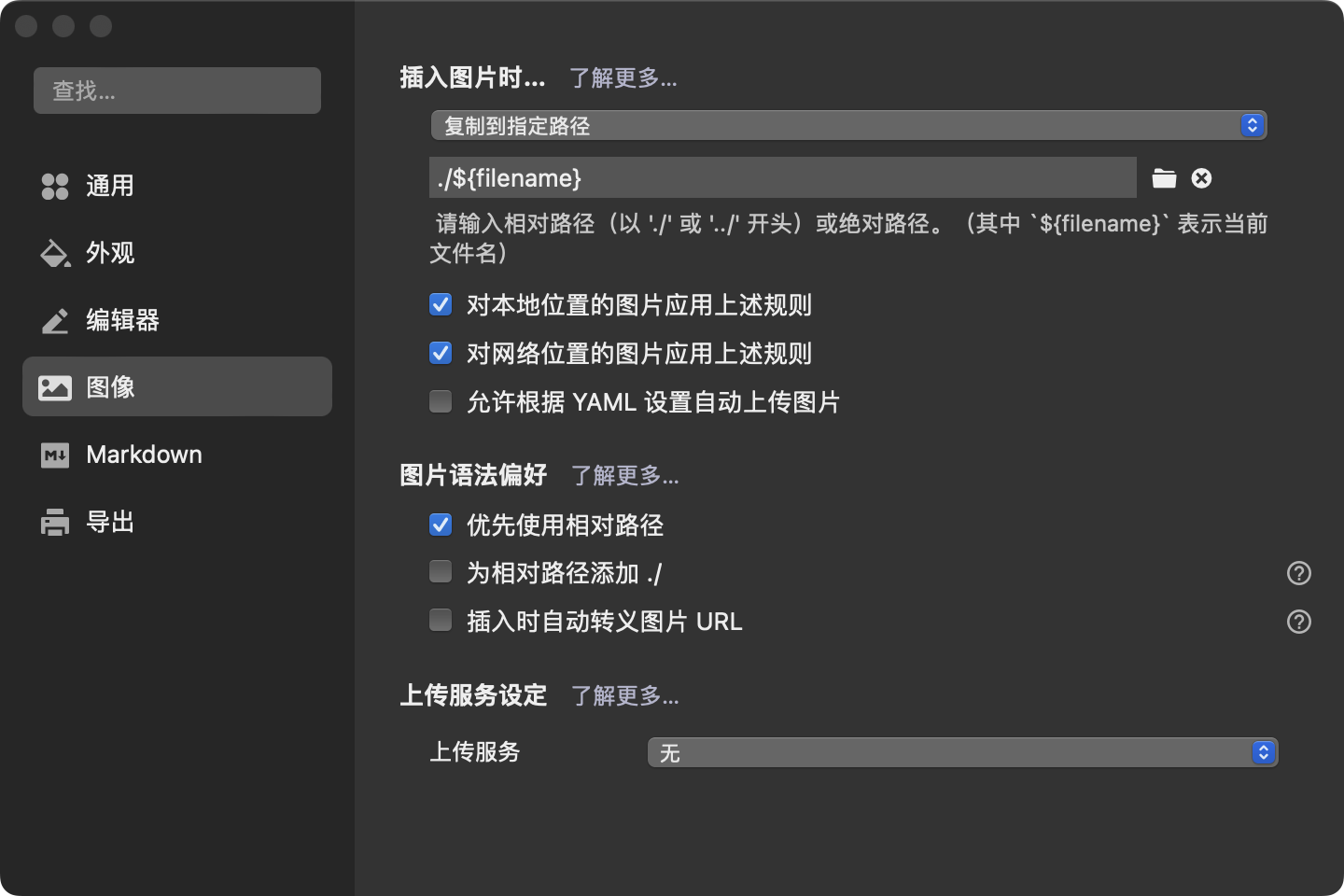
并且在博客根目录下安装 hexo-asset-image
1 | npm install https://github.com/CodeFalling/hexo-asset-image --save |
修改 _config.yml中 post_asset_folder设置为true
此后每 hexo new page都会产生一个同名的文件夹,用于存放图片。
安装插件 hexo-renderer-marked
1 | npm install hexo-renderer-marked --save |
并且在_config.yml中加入如下设置:
1 | marked: |
大功告成
之后在哪复制的或者截图的就可以直接粘贴进Typora了